Everything a general contractor needs — nothing you don’t
- Estimates in minutes from your own price book, sent by text, email or WhatsApp.
- Schedule and crew — assign a worker or a crew; they see the job instantly.
- Invoices and card payments — Pay Now on every invoice, money to your bank.
- Deposits by card right on the estimate, before you buy materials.
- Multi-day jobs that show on every day of the schedule.
- Crews: assign a saved crew in one tap; they see the job on their phone instantly.
- Job expenses with receipt photos, so you see your real profit per job.
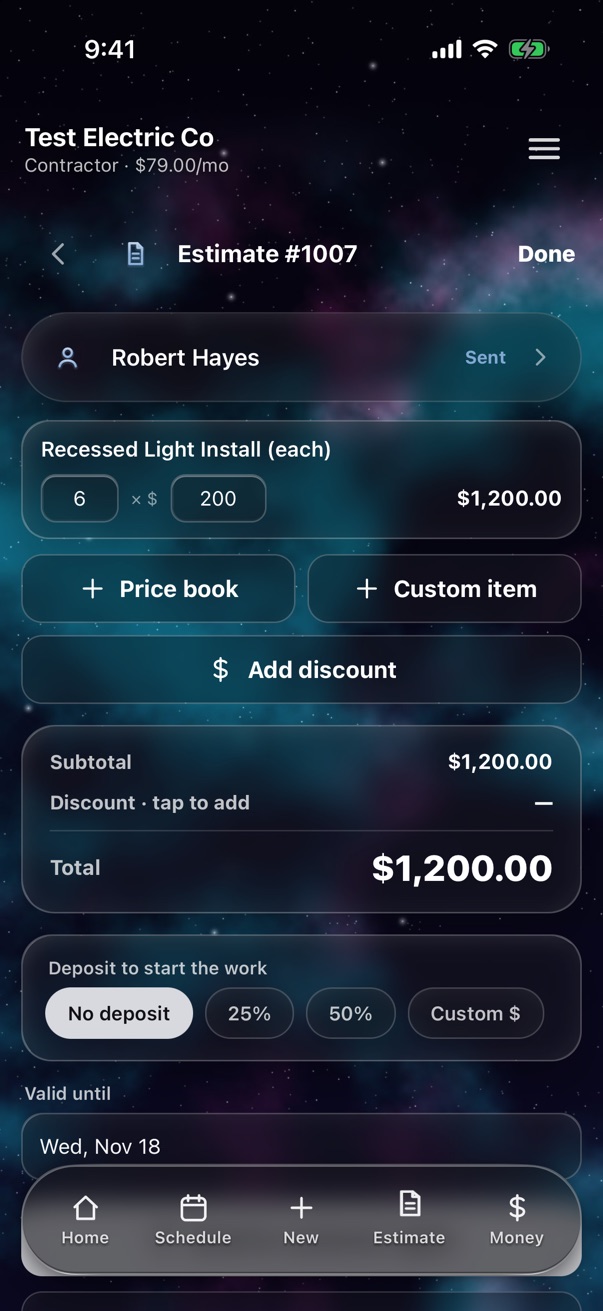
Your price book, ready in minutes
Start with your own items and prices. For example, a general contractor might add:
| Site visit & estimate | $150 |
| Demo (per day) | $900 |
| Framing labor (per day) | $1,200 |
| Permit handling | $350 |
| Punch list | $600 |
| Project management (per week) | $1,500 |
Example prices only — you set yours. Import your list from a spreadsheet in seconds.
Example: Garage converted into a home office
The owners work from home and want the garage turned into an insulated office with a window, drywall, flooring and two new circuits. You run the job and bring in an electrician for the wiring.
| Framing and window opening | $2,400 |
| Insulation and drywall | $3,200 |
| Electrical (sub) | $1,800 |
| LVP flooring (per sq ft) × 300 | $1,800 |
| Paint and trim | $1,400 |
| Total | $10,600 |
| Deposit to start (30%) | $3,180 |
Set the job to last two weeks so it sits on every day of the schedule. Each receipt — lumber, drywall, the sub's invoice — goes on the job as an expense, so when the final payment lands you know exactly what you made.
An example to show how it works — prices and steps are yours to set.
What customers ask a general contractor
Do I need a permit for this?
Conversions usually do. Add permit handling as its own line and explain who pulls it.
Can we pay in stages?
Yes — take a deposit on the estimate and record each progress payment on the invoice.
Who do I call if something goes wrong?
You. Put your phone on every paper so the customer always has it.
Tips for your general contractor business
- Write progress payments into the estimate notes so nobody argues about when money is due.
- Log every sub and material bill as a job expense; profit leaks hide in big jobs.
- Photograph inside the walls before drywall — it saves arguments years later.
One path, start to paid
New job → Estimate → Schedule → Crew does it → Invoice → Paid. The same simple steps for every job, so nothing falls through the cracks.
Simple pricing
| Solo — just you | $29/mo |
| Contractor — you + up to 5 workers | $79/mo |
| Contractor 10 — you + up to 10 workers | $129/mo |
Everything included. Every feature is in every plan — no add-ons, no surprise charges later. Plans only differ by how many workers you have.
First 100 companies keep $19 / $49 / $89 a month for as long as they stay subscribed. Workers are always free.
Questions general contractors ask
Can customers pay a deposit?
Yes. Set a deposit on the estimate; the customer pays it by card and approves the job at the same time.
Can a job last several days?
Yes. Set how many days a job takes and it shows on each day of the schedule.
How much does Selk cost?
Selk costs $29/month for Solo, $79/month for Contractor (owner plus up to 5 workers), and $129/month for Contractor 10 (owner plus up to 10 workers). The first 100 companies lock in founding prices of $19, $49 and $89 per month for as long as they stay subscribed.
Do my workers pay?
No. Workers are always free on every Selk plan. There are no per-seat fees, and the worker app is separate from the contractor app.
Selk for other trades
Run your general contractor business from your phone.
14 days free. Workers always free. No contract.
Start your free trial